
The board on the desk. The driver on the phone. One record.
Dispatch at a small carrier is one person with a phone in each hand. MileBrain gives that person a board that reads the rate con, a map that shows every lane, and a driver app that writes the times down for him.
Updated October 7, 2026
Where the day goes
A dispatcher at a small carrier books the load, types it in, texts the driver, answers the broker’s check call, finds out at 4 pm that the truck sat three hours at the receiver, and never gets that time billed because nobody wrote it down. MileBrain is built around the two things that fix it: the load is entered once, from the paperwork, and the driver’s taps write the times.
The dispatch board is the Loads screen on a desktop: the list, the lane map, and the selected load’s numbers, with every stop and its times on the record the driver updates from his phone.
The rate con becomes the load
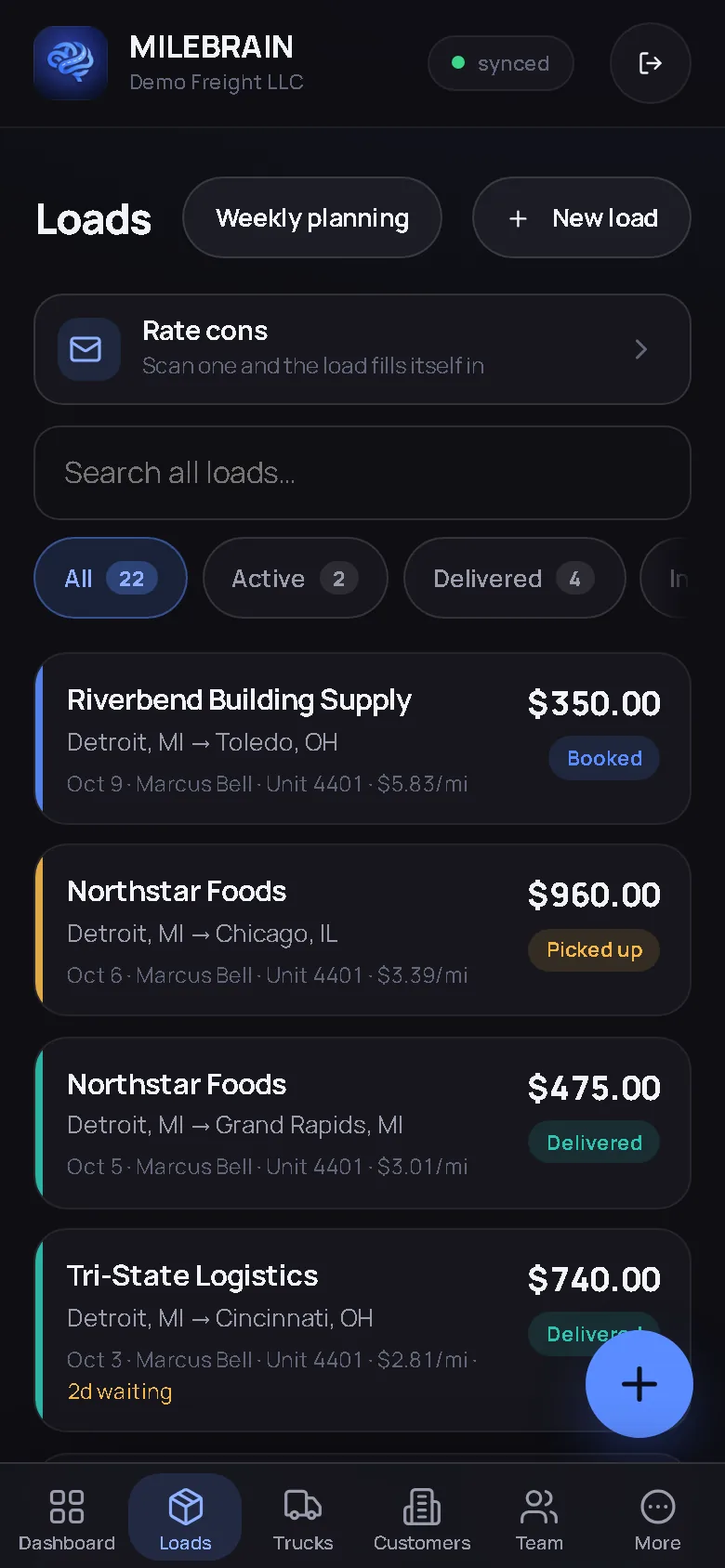
Pick the broker’s PDF, photograph the page, or forward the email to the company’s private address. Broker, lane, dates, rate, miles, weight and every stop are read off the paperwork into a draft; anything not printed on the document stays blank rather than guessed. The draft carries the breakeven verdict so you know what you are booking before you tap Add. The rate confirmation guide covers what to check on the paper itself.
Every stop, every time
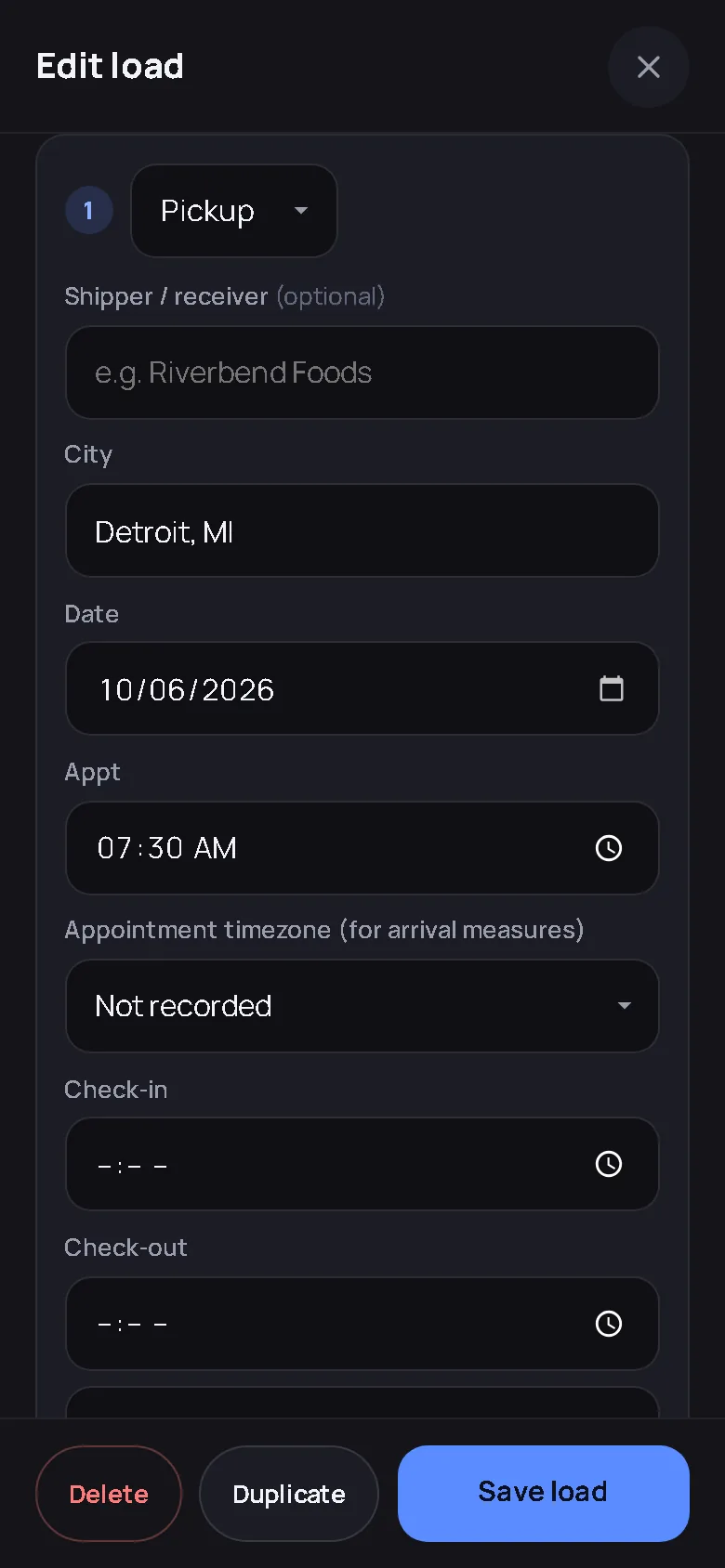
Loads carry as many stops as the freight needs, each with an appointment, a check-in and a check-out. The driver taps Arrived and Left at the dock; you see the times on the board as they land. Anything over two hours on site is flagged automatically, so the detention conversation with the broker starts with timestamps instead of a story. The predicted arrival is built from the last check-in, the miles left at the truck’s own average speed and how long that receiver usually holds a truck, shown as a window with what it was built from, or “no estimate yet” when there is not enough to say.
The map, the week, the weather
The lane map shows every active load from home to pickup to delivery. Weekly planning lays loads out by truck and by day; drag a load to another truck or day on the desk and the same save checks run as on a phone, with overlap and readiness warnings. Severe and extreme driving alerts from the National Weather Service can be checked for the saved stop states and near a driver’s fresh shared position, with the time of every check shown.
The driver side of the same record
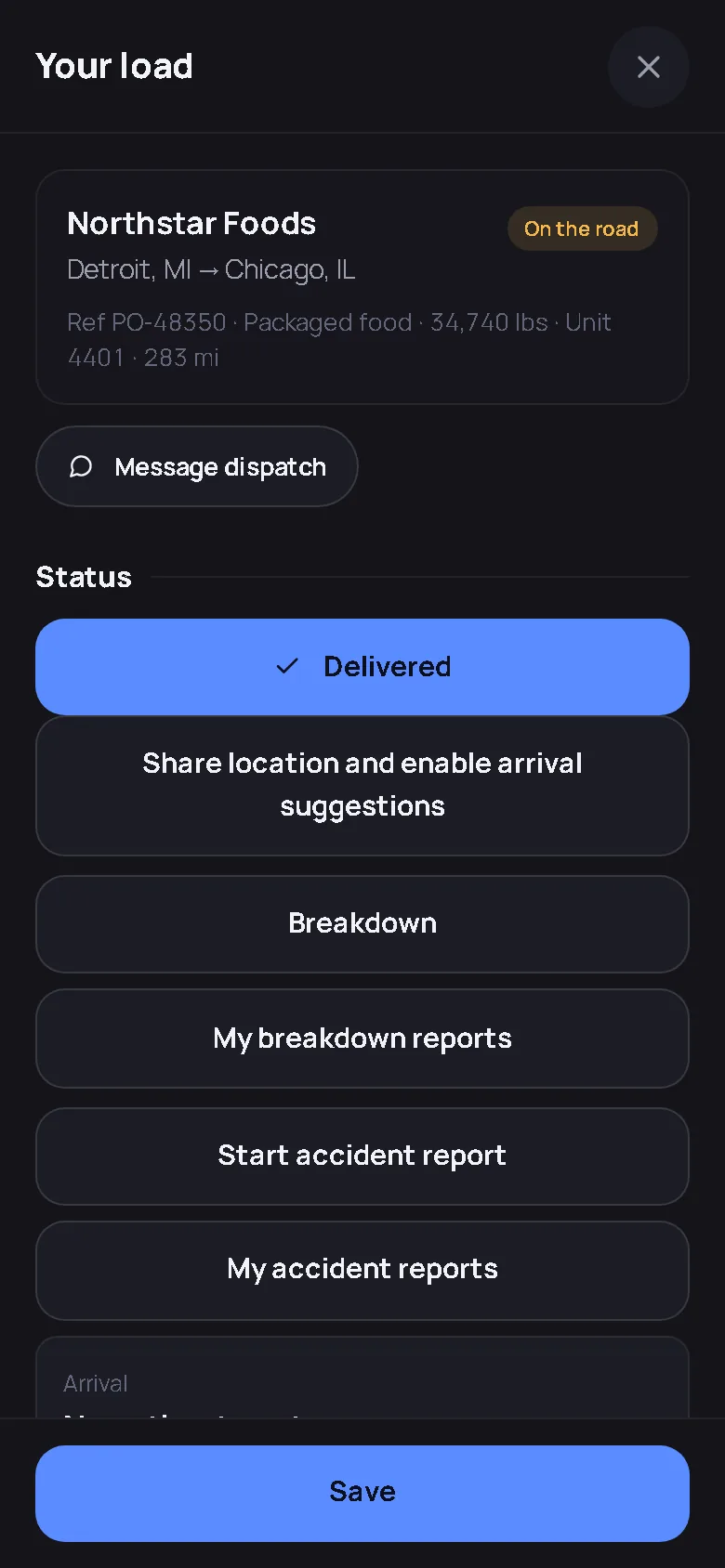
A driver login shows only the loads assigned to that driver, in English or Spanish: stops, Arrived and Left, a note for the gate, BOL and POD photos, a signature at the door that works with no signal, a fuel-stop button. He never sees a rate, a cost or another driver’s load. Message dispatch from the load, and a breakdown report opens a work order and a tow-information card on your side.
Brokers and customers
Check a broker before you haul for him: one tap on the customer record or the rate con looks the MC number up in FMCSA’s public record and puts it next to what your own invoices say about how he pays. Send a read-only tracking link that shows the lane, the stops and the times and never the rate. Switch on automatic check calls per customer and they get the stop and the time by email when the driver taps, one email per save.
Roles, not seats
A dispatcher role works the board, the loads, the customers and the drivers. Rates, driver pay, invoices, settlements and exports stay with the owner and admin roles, enforced on the server, not hidden in the screen. There is no per-seat fee: Pro includes unlimited employees, and the pricing page prints the monthly total for the fleet.
The dispatcher’s screens
Captured from the live demo company, not drawn. Open the demo and tap through the same screens.
Straight answers
Does the driver need the app installed?
No. The driver opens milebrain.com on his phone, signs in with his own email and adds it to his home screen. It works with a weak signal and syncs when the signal returns. He sees only the loads assigned to him.
Can I forward rate confirmations instead of scanning them?
Yes. Each company gets a private forwarding address when the owner switches it on. A forwarded rate con becomes a draft load with the broker, lane, dates, rate, miles and stops read off the paperwork. Nothing becomes a load until a person taps Add.
Is detention tracked automatically?
The driver's check-in and check-out at each stop are the record. Anything over two hours on site is flagged on the load without anyone doing the arithmetic, and the timestamps are there when the broker asks. How to bill it is covered in the detention pay guide.
Dispatch from one record. Stop retyping the day.
The rate con read for you, the times written by the driver, the board that shows it all.
Start free — no card needed Try the live demoFree for your first truck · No contract · Nothing to install