
Your loads. Your stops. Your pay. Nothing else in the way.
The driver shell is the shortest path through the day: what is on your plate, one tap at the dock, a photo of the paperwork, a signature at the door. In English or Spanish.
Updated October 7, 2026
What you see when you open it
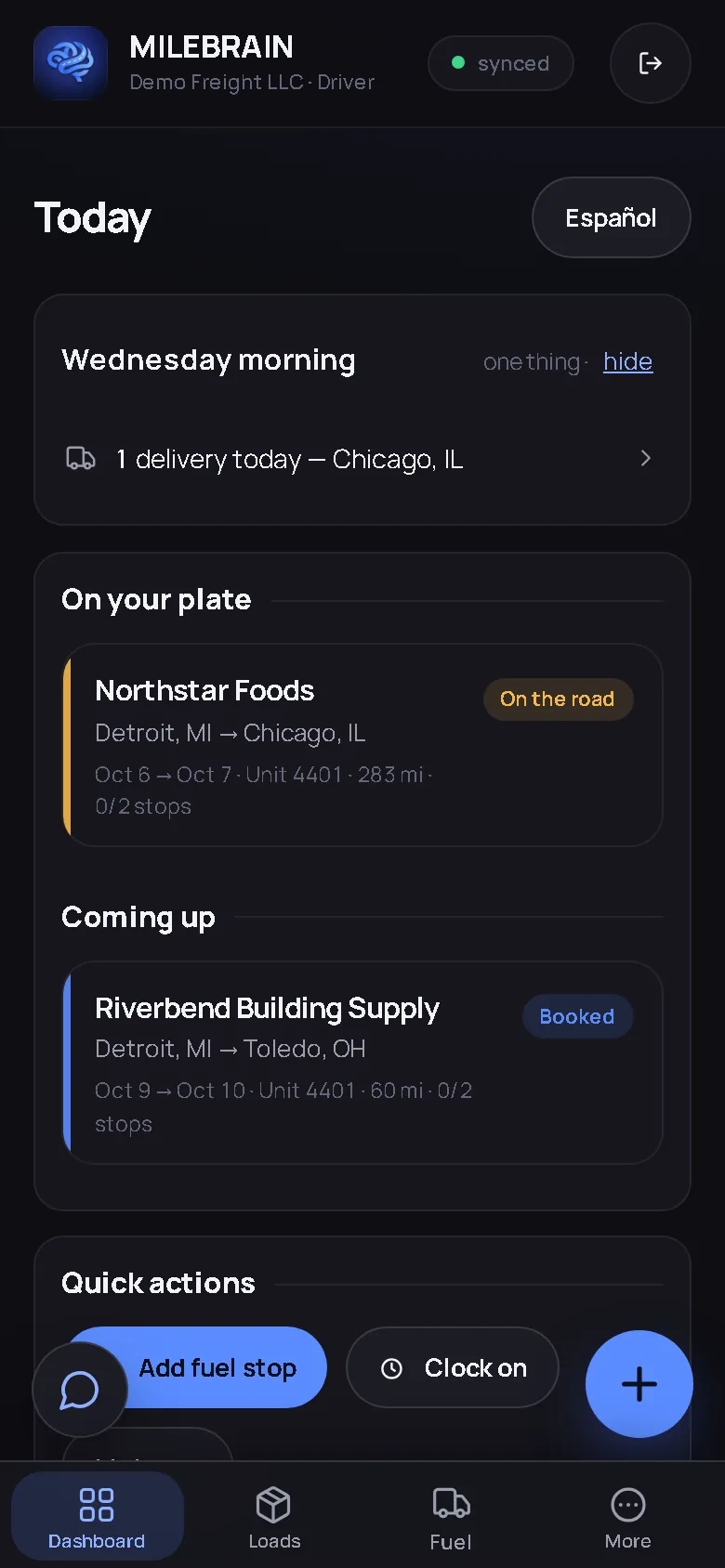
Today: the loads on your plate now and the ones coming up, with the customer, the lane, the dates, the unit and how many stops are done. A morning line or two that concern you. Quick actions for a fuel stop, clocking on and your hours. That is the whole screen, and one tap on Español turns it into Spanish.
A driver login shows only the loads assigned to that driver. Rates, costs, other drivers’ loads and the company’s money are not on the phone at all; the server does not send them.
One tap at the dock
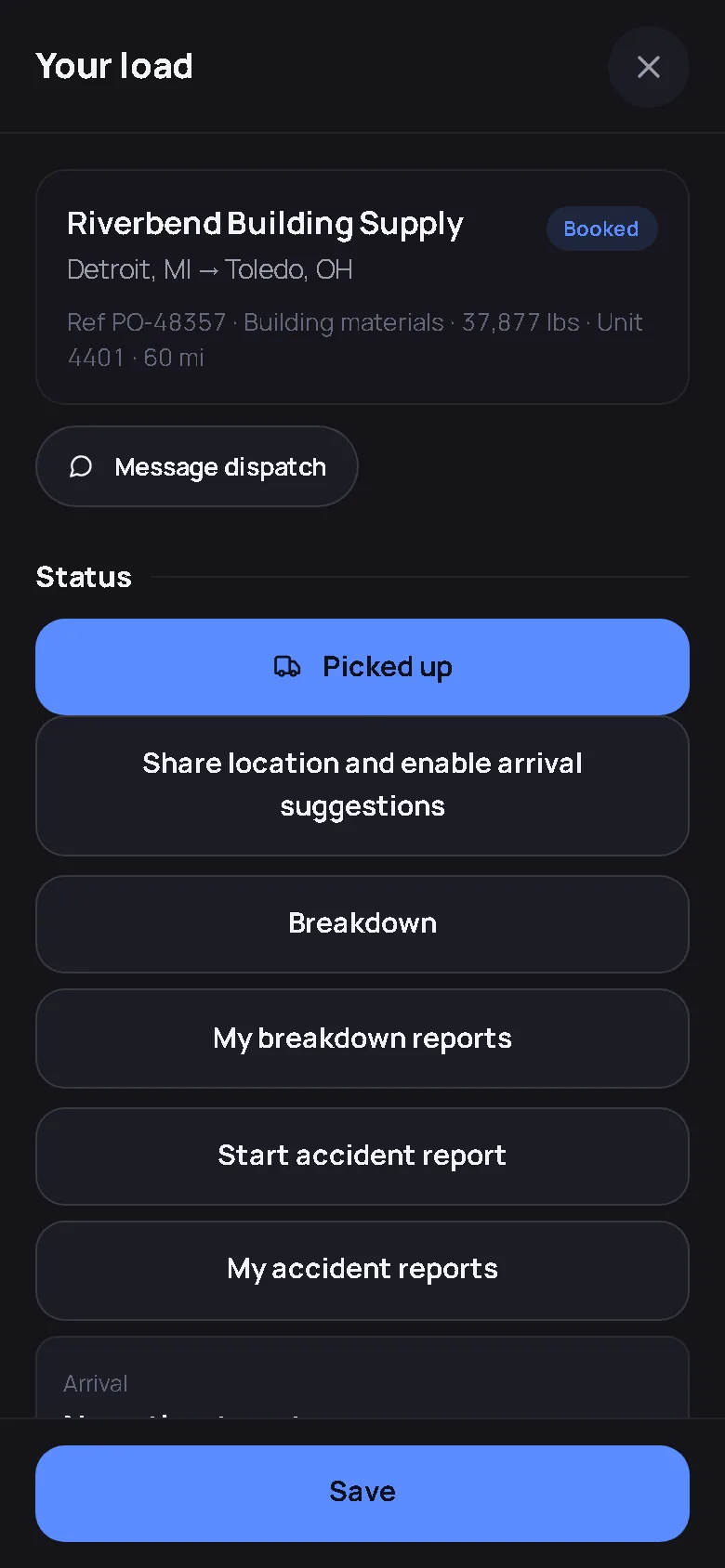
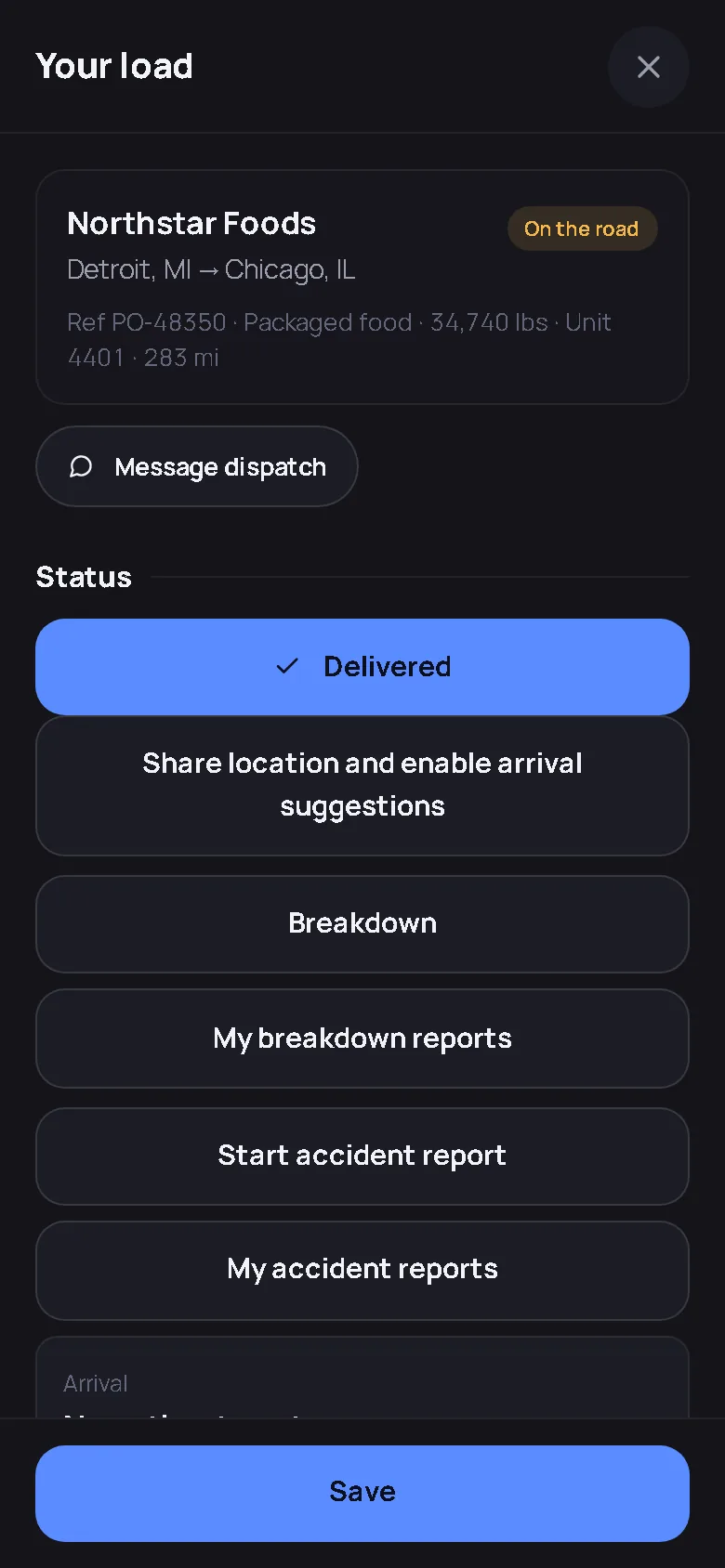
Open the load and the status button says what comes next: Picked up, then Delivered. A tap confirms, and you have 60 seconds to undo it before it counts, so a pocket tap never changes the books. Each stop has Arrived and Left with a Now button, a note for the gate code or the dock, and the receiver’s name. Those times are what the office bills detention from, so they are worth the two taps.
Paperwork without the paper
Photograph the BOL at pickup and the POD at delivery; they attach to the load and the office sees them at once. Get a signature at the door, full screen, with a finger, one hand; it lands on the load and on the invoice and it works with no signal. A fuel receipt photographed on the Fuel stop screen fills the gallons, the price, the total, the station and the state by itself; you read it and tap Save. Anything the receipt does not say stays blank.
After Delivered
Once a load is Delivered the record is sealed on the server: the times, the status and the money are frozen. You can still add a note or a photo, which is usually what is needed when a receiver finds a question the next day. Nothing you can tap after that point can change what you did at the dock.
Hours, pay and your file
Clock on and off with one tap, or confirm the timecard the app proposes from your own stop stamps. My hours shows the week. Your settlement, when the office runs it, is a statement you can read: pay per mile or per load, reimbursements, deductions and the net, and the office can email it to you. Your qualification file, the CDL and medical-card dates and the documents you were asked for, is yours to read.
If something goes wrong
Message dispatch from the load. Report a breakdown and the office gets a work order and a tow-information card. Start an accident report and it saves as a draft, only you and the company owner or admin can open it, and it prints for your records. With location sharing on, the app can suggest you have arrived after ten still minutes near the next stop’s town; you confirm the actual stop, it never records one for you.
Getting in
Your company invites you by email. Open milebrain.com on your phone, sign in with your own email and password, and add it to your home screen from the browser menu; the Get the app page shows the two taps for iPhone and Android. There is nothing to install and nothing to pay; your seat is part of your company’s plan.
The driver’s screens
Captured from the live demo company, not drawn. Open the demo and tap through the same screens.
Straight answers
Can the office see my location all the time?
No. Location sharing is off until you switch it on from a load, and the app says what it is used for before it is enabled: arrival suggestions you confirm, and a fresh position for weather alerts near you. The accident report and your qualification file are restricted to you and the company owner or admin.
What if I tap the wrong status?
Every status tap confirms first and can be undone for 60 seconds. After Delivered the record is sealed on the server, so a later tap cannot move the times, the status or the money; you can only append a note or a photo.
Does it work in Spanish?
Yes. The driver shell has an Español button on the Today screen that switches the driver screens between English and Spanish. The company office keeps its own language setting.
Your company runs on it? Sign in and add it to your home screen.
Nothing to install. Your loads, your stops, your pay.
Start free — no card needed Try the live demoFree for your first truck · No contract · Nothing to install