
Two to twenty trucks. One board that tells the truth.
The fleet owner’s day is who is where, which truck is bleeding money, who gets paid Friday and which document expires next week. MileBrain puts all of it on one record, on the desk and on the phone.
Updated October 7, 2026
A fleet is a set of numbers that disagree
With one truck you can keep the company in your head. With four you cannot. Loads live in texts, pay lives in a spreadsheet, fuel lives on a card statement, repairs live in a shoebox, and the question that matters, which unit is actually making money, has no honest answer. MileBrain is built so the record is entered once, at the moment it happens, by the person it happens to, and every report reads from that one record.
Every truck, driver, customer, load, fuel stop, repair and invoice in one company account; the owner sees everything, a dispatcher sees the board, a driver sees only his own loads.
The board
On a desktop the Loads screen is a dispatch board: the list on the left, the lane map on the right, the selected load’s miles, rate per mile, cost, net profit and breakeven verdict under it. Weekly planning lays loads out by truck and by day, with overlap and readiness warnings when a change is reviewed. Drag on the desk or tap on the phone; both run the same save checks.
Cost per mile by truck
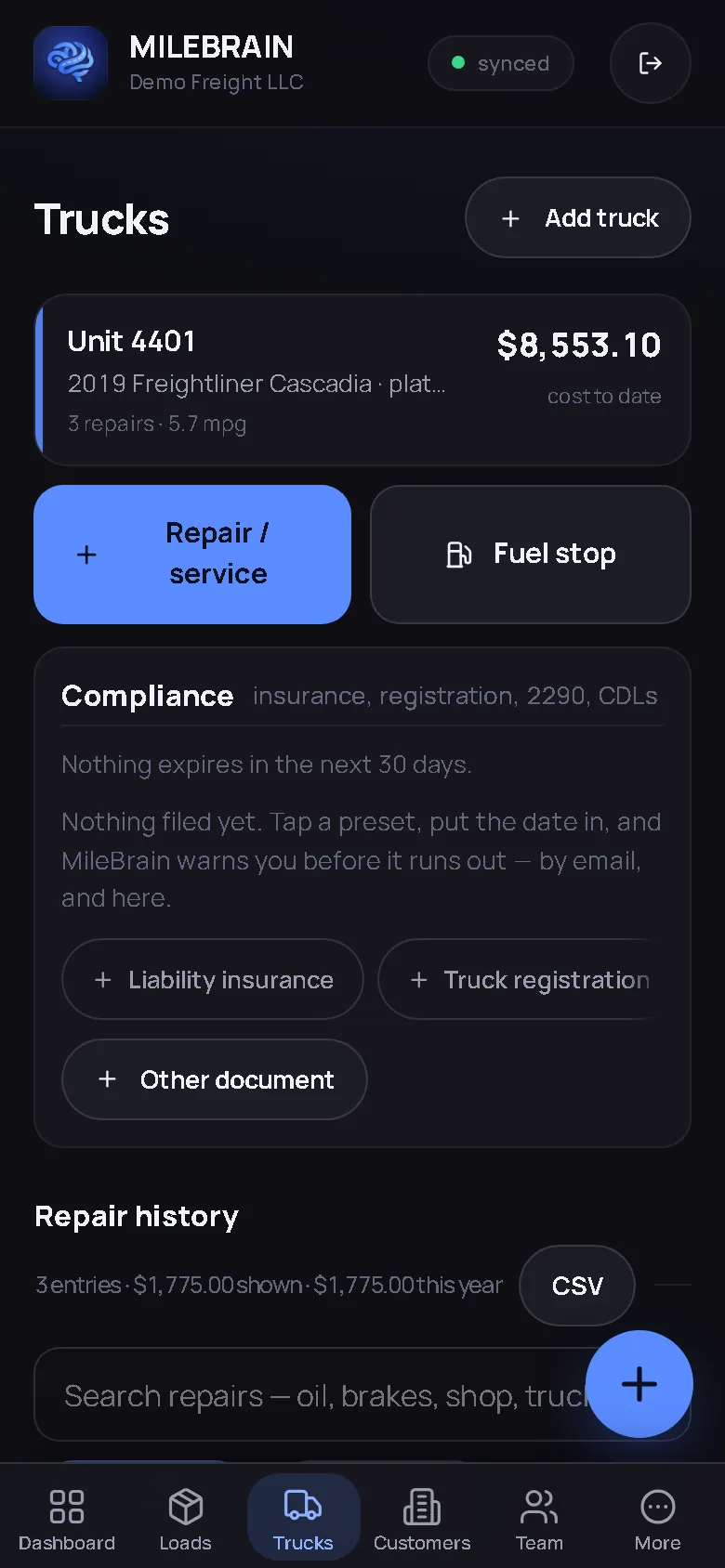
Fixed costs are entered per unit. Fuel cost per mile comes from each truck’s own fuel log and MPG from its own odometer readings; repair cost per mile from its own history. The cost-per-mile-by-truck report ranks them, and Ask MileBrain will answer “which truck costs me most a mile?” with the figure and the report behind it. A unit that is quietly expensive stops being quiet.
Drivers, pay and the documents that expire
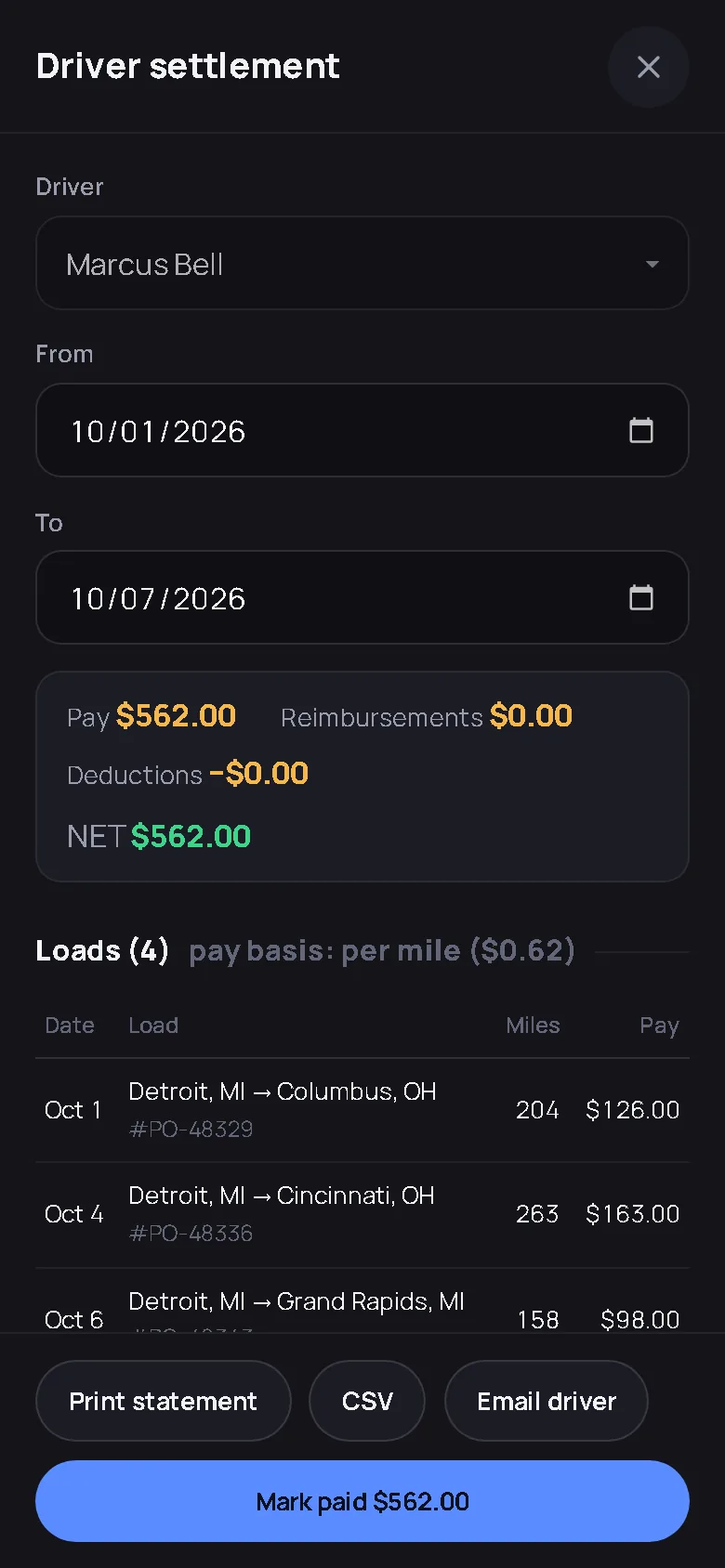
Assign every load to a driver and a truck from the board. Pay is set per load, per mile or per hour, and the settlement adds itself up: pay, reimbursements, deductions, net, a statement the driver can read and a CSV for whoever runs payroll. Timecards come from one-tap clock-ons or from the driver’s own stop stamps, with overtime past 40 hours. CDL and medical-card dates, liability insurance, registration and 2290 all warn you before they lapse, by email and in the app, and the driver qualification file keeps dated evidence with renewal history.
Money in, money out
A delivered load becomes an invoice in one tap and lands on the chase list until it is paid. Upload the bank statement and each line is matched to an invoice, a fuel stop, a repair or a settlement; accept a payment and the invoice is marked paid on that date. Upload the fuel-card statement and the fills become draft fuel stops, truck and driver guessed from the unit and the card, state from the location. Nothing books twice, and nothing books at all until a person accepts it.
The customers
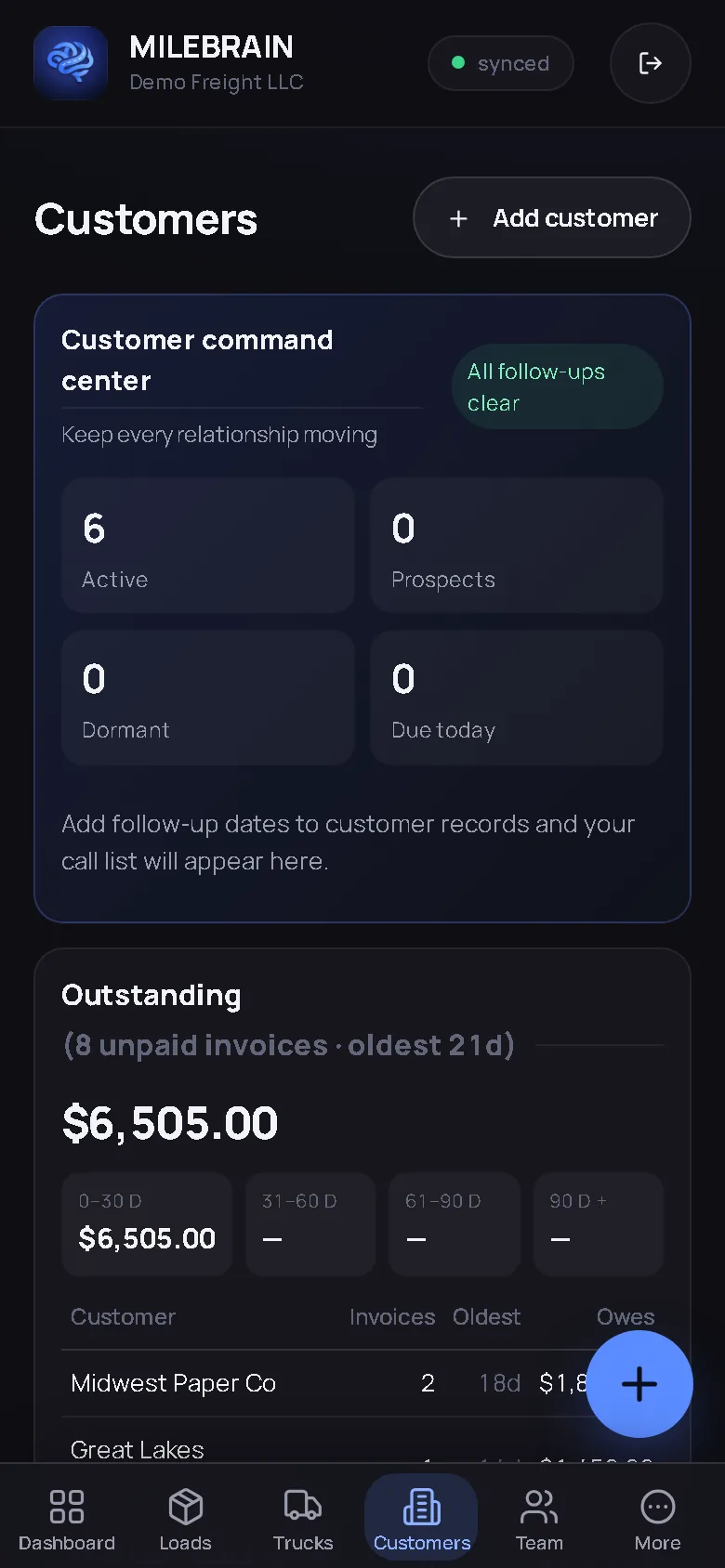
Every broker and shipper has a record: payment terms, how fast they actually pay by your own invoices, MC number checked against FMCSA’s public record in one tap, outstanding and aging buckets. Give a regular customer a portal login and they see their own loads, stops, signatures and invoices and never anyone else’s. Automatic check calls email them the stop and the time when the driver checks in, if you switch it on for that customer.
What it costs a fleet
Pro is a flat monthly price that includes trucks, then a set price per additional truck, with Brain and unlimited employees included; the pricing page prints the exact total for 3, 4, 5 or 10 trucks straight from the app, so the number you read is the number you pay. There is no contract, no per-user seat, no setup fee, and every record exports at any time. The comparison pages put it next to TruckingOffice, TruckLogics, Trucker Path, Truckbase and Rigbooks workflow by workflow.
The fleet owner’s screens
Captured from the live demo company, not drawn. Open the demo and tap through the same screens.
Straight answers
Can a dispatcher use it without seeing the money?
Yes. Company roles are enforced on the server. A dispatcher works the board, loads, customers and drivers; rates, driver pay, invoices, settlements and exports stay with the owner and admin roles. A driver sees only his own assigned loads.
How does pricing work as I add trucks?
Pro is a flat monthly price that includes a set number of trucks, then a fixed price per additional truck, with Brain and unlimited employees included. The pricing page prints the exact monthly total for any fleet size from the same figures the app bills, and you can add or remove trucks in the app.
Can I bring in my fuel-card and bank statements?
Yes. Upload the CSV or OFX from your bank and each line is matched to an invoice, fuel stop, repair or settlement already in the books, as matched, probable or unmatched. Upload the fuel-card statement and the fills become draft fuel stops. Nothing is booked until you accept it, and the same line never books twice.
Know which truck is making money. Tonight.
One board, every unit’s real cost per mile, settlements that add themselves up.
Start free — no card needed Try the live demoFree for your first truck · No contract · Nothing to install