
One truck. The whole office in your pocket.
You drive, you dispatch, you invoice, you chase, you do IFTA on a Sunday. MileBrain carries the office so the cab is the only place you have to be.
Updated October 7, 2026
The problem is not the driving
An owner-operator loses money in the gaps between loads: the rate he took without knowing his cost per mile, the two hours he sat at a receiver and never billed, the invoice he meant to send on Friday, the fuel receipt that went through the wash. None of it shows up on the road. All of it shows up at the end of the quarter.
MileBrain is trucking management software built by a working owner-operator in Detroit for exactly that gap: every entry takes about 30 seconds from the cab, and the office keeps itself.
Know your number before you say yes
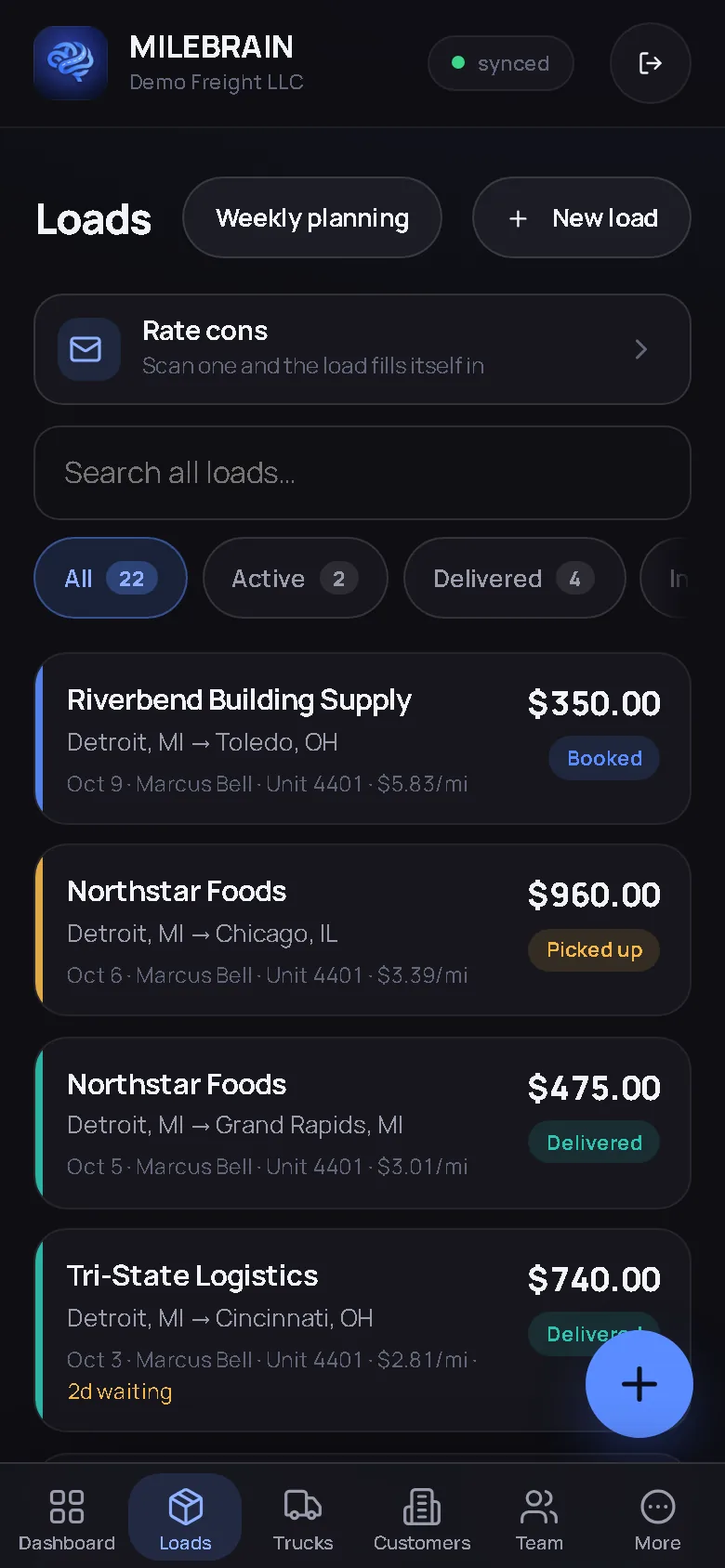
Enter your fixed costs once: the truck note, insurance, plates, the things you pay whether the wheels turn or not. Fuel cost per mile pulls from your own fuel log, repair cost per mile from your own repair history. From then on every rate you type is judged on the spot, above or below your breakeven, to the dollar. Scan a broker’s rate confirmation and the lane, dates, rate, miles and stops come back filled in with the verdict already on them. Nothing becomes a load until you tap Add.
The cost per mile guide walks the arithmetic with a one-truck example if you want to see the method before you trust the number.
Detention you can actually bill
Every stop on a load has an appointment, a check-in and a check-out. Tap them as they happen and anything over two hours on site is flagged without you thinking about it. When the broker asks for proof, the timestamps are on the record, not in your memory. The detention pay guide covers the rate con line to check and the invoice line to add.
Invoice from the cab, chase from the dashboard
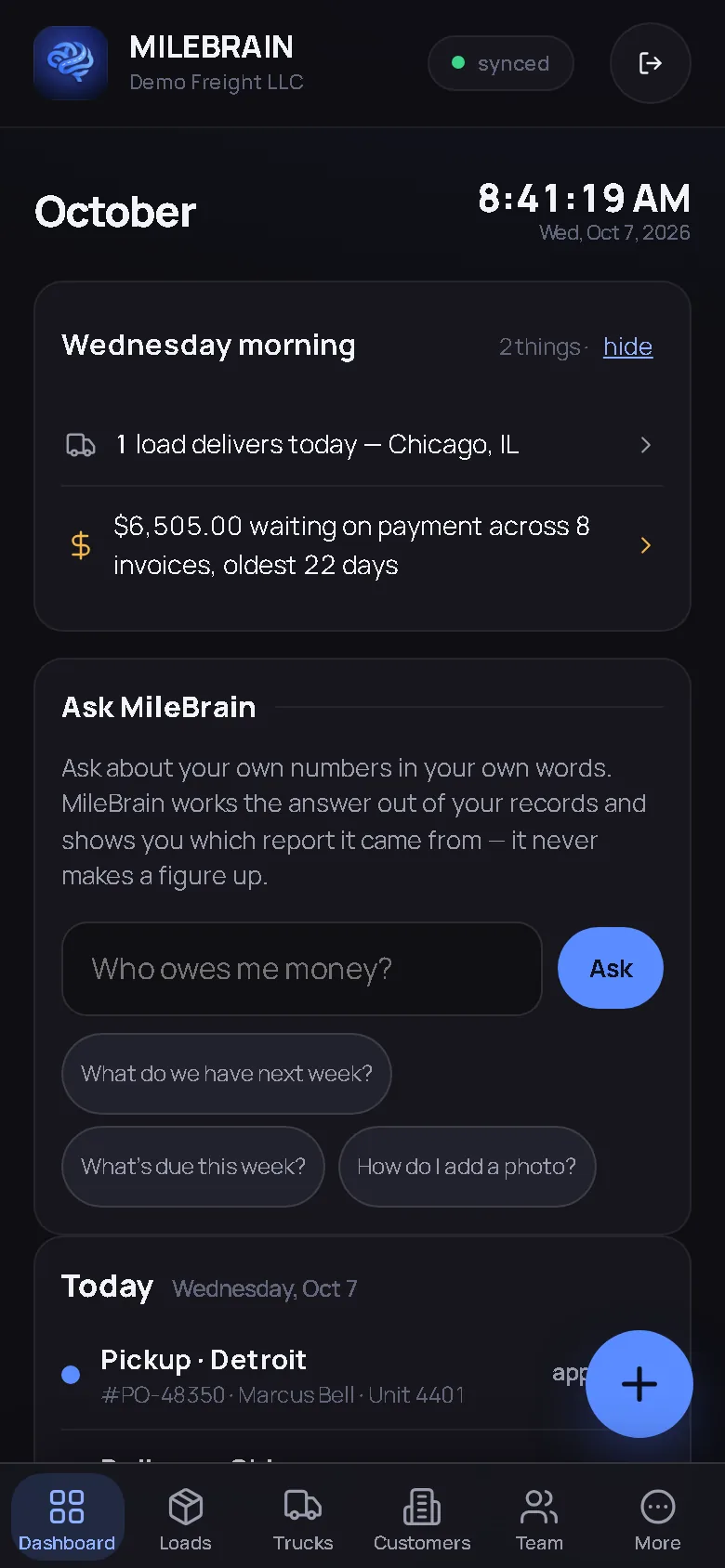
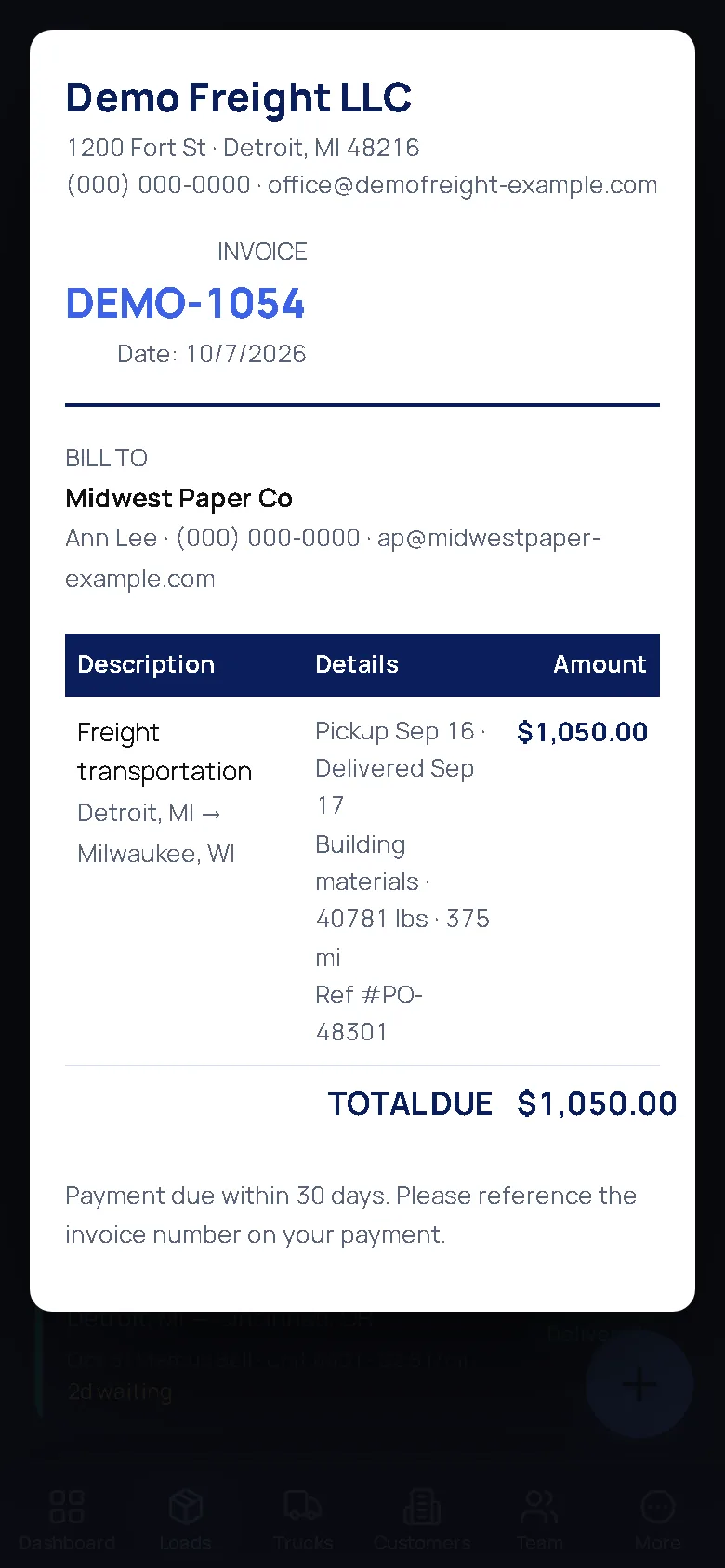
A delivered load becomes a numbered, professional invoice in one tap: print it, download it, email it, or send the broker a read-only link. It sits on the “Chase these payments” list until it is paid, and past 30 days it turns red. The morning briefing tells you what went past terms overnight and what you are owed in total, the same figure the printed invoice carries.
Fuel, IFTA and the truck itself
Log a fuel stop with gallons, dollars and the state, or photograph the receipt and let the entry fill itself. MPG per truck comes from your odometer readings, with a warning when it drops. When the quarter closes, the IFTA fuel table is already built per jurisdiction; the 2026 deadlines are in the guides. Repairs live with the truck, receipts attached, and the service schedule counts down to oil, PM, inspection and registration before they are due. Insurance, registration, 2290 and CDL dates sit under Compliance and warn you by email and in the app.
Ask it, in your own words
“Who owes me money?” “What did I clear on Chicago runs last month?” “Which lane paid best this quarter?” Ask MileBrain works every figure out with the same code its reports use and only phrases the sentence; every answer links to the report behind it. The Free plan includes 10 questions a month; Brain and Pro make it unlimited.
What it costs you
The Free plan is one truck and one employee with the whole core operation, no card asked for. If you add a driver or a second truck, Pro takes over at a flat monthly price with trucks included and a set price per additional truck; the pricing page prints the exact monthly total for any fleet size. Your data is yours: export every record as CSV, hand your bookkeeper two QuickBooks-ready files, or download the whole company as one backup file at any time.
The screens an owner-operator opens most
Captured from the live demo company, not drawn. Open the demo and tap through the same screens.
Straight answers
Do I have to enter my old loads to get started?
No. Add the truck and its fixed costs, then enter loads as they happen. The breakeven number sharpens with every fuel stop and repair you log, and the reports only ever count what you have entered. A one-file backup can bring in records from a previous export if you have one.
Does it work in the cab with a weak signal?
Yes. MileBrain is a browser app you add to your home screen. Entries, check-ins and signatures are kept on the phone when the signal drops and sync when it comes back. There is nothing to install and no hardware.
Will I still need a spreadsheet for IFTA?
The quarterly IFTA fuel table is built from the fuel stops you log with their state, per jurisdiction, with taxable gallons and tax-paid gallons. MileBrain does not file the return; it hands you the table and the notes your preparer needs, and tells you which miles it could not account for.
Run your truck like a company. From the cab.
Breakeven, invoices, IFTA, the chase list. Free for your first truck.
Start free — no card needed Try the live demoFree for your first truck · No contract · Nothing to install